


Global Sales and Technical Support
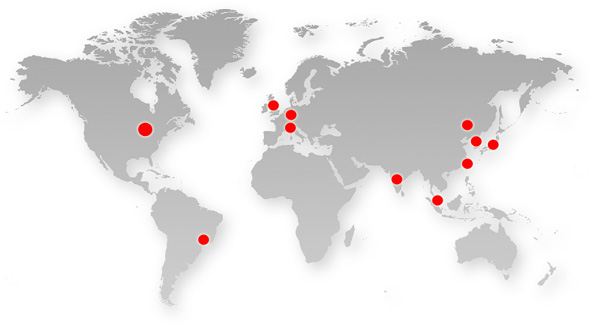
Mechanical Simulation distributes and supports our software in North America and all regions that are not covered by the sales agents listed below. We also provide advanced technical support worldwide. Contact Mechanical Simulation; to visit the office in Ann Arbor, see the Map and Directions.
AMET distributes and supports our software in Italy, France, Spain, Slovakia and Portugal. Contact AMET S.r.l. Email: carsim@amet.it; Phone: +39 011 9007871.
Applied Intuition GK distributes
and supports our software in Japan: Email: japan-support@applied.co;
Phone: +81-03-6626-2033.
AuTek distributes
and supports our software in China:
Contact AuTek Automobile
Technology (Jilin) Co., Ltd.; Email: sales@carsimchina.com;
Phone: +86-431-8511-2626.
Automotive Simulation distributes and supports our software in Germany. Contact tlenhart@carsim.de; Phone: +49 6251 5503 878.
CYBERNET Systems distributes and supports our software in Taiwan: Contact CYBERNET Systems Taiwan, Inc. Email: general@cybernet-ap.com.tw; Phone: +886-3-6118-668.
CYBERNET SYSTEMS MALAYSIA SDN. BHD. distributes and supports our software in Brunei Darussalam, Cambodia, Indonesia, Lao PDR, Myanmar, Viet Nam, Thailand, Malaysia, and Singapore. Contact: CYBERNET SYSTEMS MALAYSIA SDN. BHD.; Email: kelvin.lee@cybernet.asia; Phone: +60 12 325 1087.
Darnford Systems Ltd. distributes and supports our software in the United Kingdom: Contact Brett Dowen; Email: bdowen@darnford.com; Phone +44-0-7946-389836.
Shinho Systems distributes and supports our software in Korea: Contact Shinho Systems Co., Ltd. Email: iclee@ishinho.com; Phone: +82-031-737-6800.
TRY Testes e Simulacoes distributes and supports our software in Brazil: Contact: fabio.braga@trytests.com; Phone: +55-11-5573-8048.
VirtualCAE distributes and supports our software in Brazil: Contact: valmir@virtualcae.com.br; Phone: +55 11 42291349.
Xitadel CAE Technologies India Private Limited distributes and supports our software in India: Contact: Mr. Vijay Kamble Email:vkamble@xitadel.com; Phone: +91-97-663-74896.
Contacts in The United States
Sales
Robert McGinnis
rmcginnis@carsim.com
Alan Rudnick
arudnick@carsim.com