Animation and Plotting
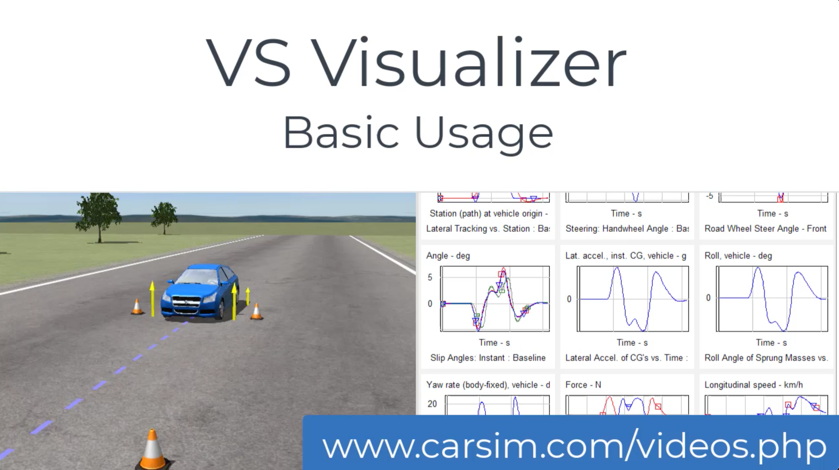
Simulation results from BikeSim, CarSim, SuspensionSim, and TruckSim are viewed with VS Visualizer, which provides both animation and plotting of simulation results, possibly with results overlaid from multiple simulation runs.
Easy to Use
To fit in with the rest of the software, VS Visualizer is so easy to use that training is not required. Use the link above to view a 9-minute video that shows basic operations in the context of using the software.
- Click one of three buttons to launch VS Visualizer for a specific run: Video, Plot, and Video + Plot.
- Specify camera settings within the same database used for simulated vehicles and test procedures.
- Associate 3D shapes with sprung masses and wheels in the database with the database GUI such that any vehicle that is simulated can immediately be viewed in virtual videos. Shapes are automatically sized to the physical dimensions of the parts. For example, the same wheel 3D objects are sized as needed to fit the wheel of each simulated vehicle.
- CarSim, BikeSim, and TruckSim all include a large catalog of 3D vehicle shapes that are used in the examples. For example, motorcycle shapes are available for showing traffic vehicles in all three products.
- Users with access to 3D modeling software can make their own 3D shapes, as described here. Or, contact Mechanical Simulation and contract with our highly experienced 3D digital art team.
Video Rendering
VS Visualizer uses the latest technology to provide high performance, with mirrors, lighting, true shadows, variable levels of detail, and many more features supported in modern gaming systems.
- All surfaces are shaded with textures that support images and translucency. Shadow casting can be enabled or disabled.
- 3D shape files are supported that use OSG (Open Scene Graph) binary (compressed) and text, along with older standards such as OBJ.
- VS Visualizer can show multiple camera views, internal or external relative to the vehicle.
- The video includes configurable heads up display (HUD) for text and 2D graphic controls (speedometer, ESC indicator, etc.) based on any of the variables available to VS Visualizer. The database GUI supports popular types of controls; others can be defined using commands.
- VS Visualizer can generate animation AVI files that can be dragged into Powerpoint for presentations.
Plotting
Here are the main automated plotting capabilities:
- Predefined plots from the database are activated with a single button click for viewing with or without synchronized video.
- Plot legends identify plot datasets, and can show instant values of all variables at the time associated with the slide-bar on the bottom of the window.
- A grid interface shows thumbnail views of all plots; double click to go between grid view and detailed view of a single plot.
- Change the plot views with the same interactive zooming and panning moves used for the video camera.
Extra Features for Engineering Analysis
VS Visualizer has extra features for showing vehicle dynamic behavior.
- Post-processing visualization is done by reading output files generated by the VS Solvers during simulation; live video is done by setting up live communication between a VS Solver (running on Windows or a real-time target platform) and VS Visualizer.
- Playback speed can be controlled continuously from high speed, to normal (real time), to extremely slow motion, to pause, with both forward and reverse. This allows the careful study of complicated motions. Spline interpolation is used to avoid jerkiness when viewing results in slow motion.
- Instant access to any part of the animation and plot cursor is provided with a slide bar, similar to the slide bar in a multimedia player.
- Results from different runs can be overlaid (a single button in the VS Browser enables this mode) to visually compare results for different vehicles or conditions.
- Multiple images of the vehicle (called "ghosts") of past vehicle positions help visualize complicated motions.
- Shapes can be sized based on variables from the vehicle model. This feature is used to show arrows indicating tire forces.
- Shapes can be made visible or invisible based on variables from the vehicle model. For example, this is used to show brake lights.
- Shape transparency can be adjusted based on variables from the vehicle model. This feature is used to show tire skid marks.
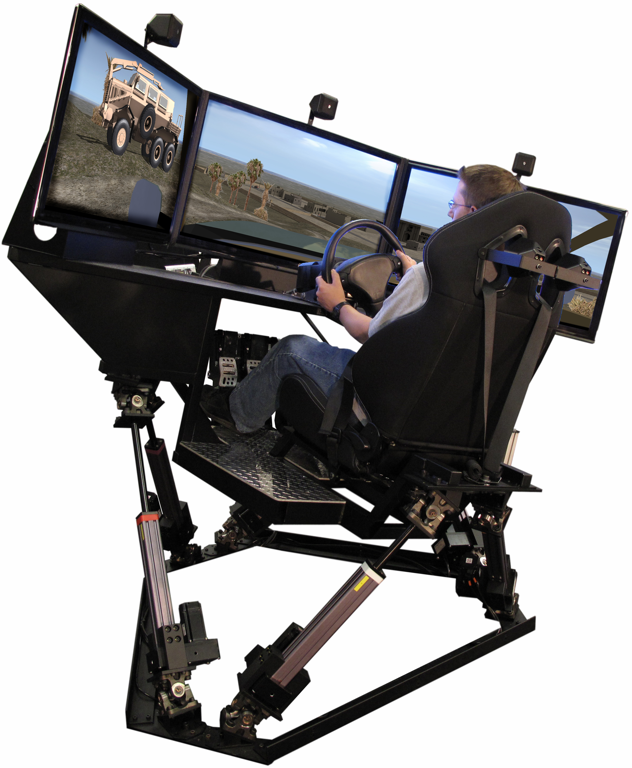
- VS Visualizer works in real-time, obtaining motion variables "live" from a running model. This mode is used to show the simulated vehicle when testing hardware-in-the-loop, or when using a driving simulator.
- Multiple animations can run in real-time on different computers to support multiple-screen displays for driving simulators.
- VS Visualizer can generate VS Results Analysis Package (VSRAP) files that can be loaded into installations of VS Visualizer on other computers. Viewing results from a VSRAP archive does not require a license.
Animation Shapes
3D Animator Shapes (PDF)Using 3ds Max to Make Shapes (PDF)
VehicleSim Products
CarSimTruckSim
BikeSim
SuspensionSim
Built-In Features
ADAS: Moving Objects and SensorsAnimation and Plotting
Automation and COM
Built-In Controllers
GUI, Database, and Documentation
Modular VS Math Models
Paths and S-L Coordinates
Roads and Terrain
VS Commands Language
VS Scene Builder Tool
Co-Simulation Technologies
Real-Time HIL SupportSimulink, FMI/FMU, LabVIEW, ASCET
Unreal Engine
VehicleSim SDK
More
Engineering Services