


Videos
The videos on this page show features in our software and some of the methods for using it. All of these videos are in the Mechanical Simulation channel on YouTube, where they are managed to provide resolution and streaming customized for your computer or device. View a video here by clicking on the image or the title; view it in a YouTube window by clicking the YouTube link in the description.
Newest Videos
 |
Running CarSim on SCALEXIONovember 2023. The VehicleSim products (CarSim, TruckSim, and BikeSim) includes a series of test examples for the dSPACE systems. This video covers how to connect and run the CarSim solver on a dSPACE SCALEXiO. YouTube. 3 minutes. |
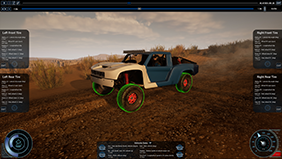 |
VehicleSim Visualizer Pro (VSV Pro)January 2023. VSV Pro is Mechanical Simulation's new high-reality animator and is an update to our existing visualizer product. YouTube. 5 minutes. |
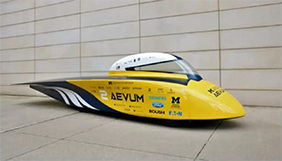 |
University of Michigan Solar Car Team Kite Car Concept EvaluationSept 2022. The University of Michigan Solar Car Team evaluates a unique design using CarSim. This presentation will be given by Bob Nisonger. YouTube. 33 minutes. |
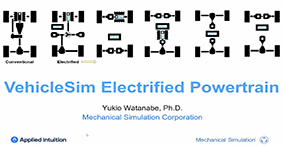 |
VehicleSim Electrified PowertrainSept 2022. This presentation explains powertrain electrification options available in CarSim and TruckSim. The video presents an overview of the options for hybrid and electric powertrain models. YouTube. 40 minutes. |
 |
VehicleSim New and Current Features WebinarAugust 2022. This presentation covers the updates to CarSim, TruckSim, and BikeSim since our last user conference in 2019. This presentation will be given by Mike Sayers, Ph.D. YouTube. 43 minutes. |
Overview of Software
These videos introduce the CarSim software. The basic operation also applies for TruckSim and BikeSim: same user interface, same design of math models, same tools for viewing results and preparing datasets, etc. These are intended for new users and anyone interested in what the software can do.
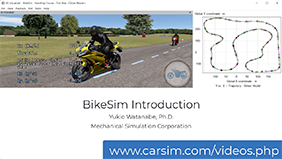 |
Introduction BikeSimAugust 2021. See major the parts of BikeSim: the vehicle math model, the GUI, the visualization of results in videos and plots, and basic operation. YouTube. 4 minutes. |
|
Introduction to CarSim: Part 1, OverviewJuly 2020. See parts of CarSim (and TruckSim and BikeSim) that everyone uses: the vehicle model, the GUI, visualization of results in videos and plots, installation, and basic operation. YouTube. 9 minutes. |
|
Introduction to CarSim: Part 2, More FeaturesJune 2020. See more features that are essential to many users: vehicle options, ADAS sensors, development tools, external tools, and multiple vehicles. YouTube. 12 minutes. |
Instructional Videos for New Users
Here are instructional how-to videos for new users of CarSim, TruckSim, and BikeSim. These cover the steps you will use from the very start to install the software, view existing data and runs, work with the animator and plot tool VS Visualizer, make a new vehicle and run it.
| |
VehicleSim Visualizer Pro (VSV Pro)January 2023. VSV Pro is Mechanical Simulation's new high-reality animator and is an update to our existing visualizer product. YouTube. 5 minutes. |
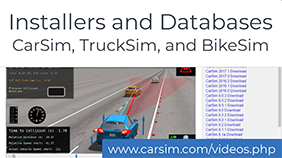 |
Installers and DatabasesJuly 2021.See how to install our software and then use the new Database Builder to create custom databases from hundreds of available examples. YouTube. 5 minutes. |
 |
Run Control Screen (Home)September 2020. See how to use the first screen you see, to make a run, view the results, and view other information about the vehicle math model. YouTube. 6 minutes. |
 |
VS Visualizer Basic UsageSeptember 2020. See how to work with VS Visualizer, the tool used to generate animated videos and synchronized plots. YouTube. 6 minutes. |
|
Vehicle Coordinate SystemsSeptember 2020. See how orientation angles yaw, pitch, and roll are defined, and how the pitch and roll are oriented based on settings from the Sprung Mass screen. YouTube. 6 minutes. |

|
Simulate a New VehicleSeptember 2020. See how to copy and modify existing datasets to make new vehicles and simulate them. YouTube. 6 minutes. |
Widely-Used Features in VS Math Models
These videos show VehicleSim Math Model features that are widely used in support of many simulation scenarios. They are recommended for new users and anyone viewing other videos on this page.
|
Paths and S-L CoordinatesJuly 2020. See what VS Paths are, how to make them, and how they are used for driver/rider models, defining road surfaces, and locating moving objects in ADAS scenarios. YouTube. 6 minutes. |
|
VS Scene Builder ToolSeptember 2020. See how the Scene Builder tool is used to assemble scenes with drag and drop actions, and paths by clicking on arrows on the ground. YouTube. 3 minutes. |
|
VS CommandsJuly 2020. See how the built-in VS Commands scripting language can be used to extend a model in CarSim, TruckSim, BikeSim, or SuspensionSim. YouTube. 5 minutes. |
|
Simulink with CarSim, TruckSim, and BikeSimJuly 2020. See how to use Simulink with CarSim, TruckSim, and BikeSim. YouTube. 4 minutes. |
ADAS and AV Applications
The ADAS videos show how some advanced driver assistance systems (ADAS) and autonomous vehicle (AV) scenarios are setup in VS Math Models. Before viewing the following videos, we recommend viewing the above videos for ► Paths and S-L Coordinates and ► VS Commands. If you will using Simulink, we also recommend that you first view the above ► Simulink video.
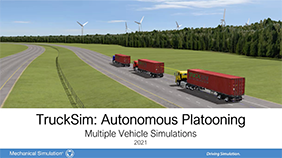 |
TruckSim Autonomous PlatooningOctober 2021. Platoons improve fuel economy by reducing aerodynamic drag. TruckSim includes several examples modeling autonomous platooning. YouTube. 4 minutes. |
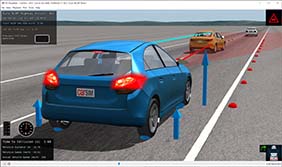 |
CarSim and Euro NCAP ACC TestsSeptember 2021. This video provides a brief background of the Euro NCAP ACC Performance tests, explaining how to run them in CarSim and evaluate results. YouTube. 7 minutes. |
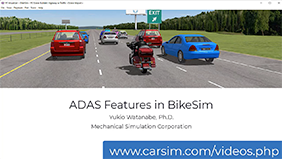 |
ADAS Features in BikeSimAugust 2021. This 9-minute video describes the Advance Driver Assistance System (ADAS) and Autonomous Driving (AD) capability of BikeSim. YouTube. 9 minutes. |
 |
CarSim and Euro NCAP AEB VRU TestsJuly 2020. See simulations of EURO NCAP Autonomous Emergency Braking (AEB) Vulnerable Road User (VRU) tests. These simulations follow the Euro NCAP AEB VRU test and assessment protocols. YouTube. 6 minutes. |
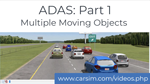 |
ADAS: Part 1, Multiple Moving ObjectsJuly 2020. See how the ADAS Multiple Moving Objects screen is used to add traffic vehicles to a simulation, with various levels of realism. YouTube. 6 minutes. |
 |
ADAS: Part 2, Sensors, Signs, and the Symbol StackJuly 2020. See how the built-in ADAS Sensors are used with traffic signs, which are defined using the Single Moving Object screen. It also shows how Symbol Stack variables help make reusable datasets. YouTube. 7 minutes. |

|
ADAS: Part 3, Animated Pedestrians, Animals, and BicyclesJuly 2020. See how to set up walking pedestrians or running deer as potential targets for ADAS sensors. Bicycles also have animated pedaling, and can lean when turning. YouTube. 7 minutes. |
|
ADAS: Part 4, Walls, Buildings, and Ego VehiclesJuly 2020. See several applications of polygonal shapes. This video demonstrates occlusion, and uses a sensor installed in a moving object to determine a point of collision with the ego vehicle. YouTube. 6 minutes. |
 |
ADAS: Part 5, Multiple VehiclesJuly 2020. See three options with multiple vehicles: (1) fake vehicles made with smart moving objects, (2) parallel VS Math Models connected with Simulink, and (3) one VS Math Model with multiple vehicles. YouTube. 9 minutes. |
Selected Feature Demos
These videos demonstrate selected features.| |
VehicleSim Electrified PowertrainSept 2022. This presentation explains powertrain electrification options available in CarSim and TruckSim. The video presents an overview of the options for hybrid and electric powertrain models. YouTube. 40 minutes. |
 |
High Performance Computing (HPC) For Automotive SimulationOctober 2021. This video explains and demonstrates how CarSim, TruckSim, and BikeSim can be used within a HPC environment. YouTube. 14 minutes. |
 |
Suspension Features in BikeSimAugust 2021. This video describes and explains the differences of various types of front and rear motorcycle suspensions found in BikeSim. YouTube. 9 minutes. |
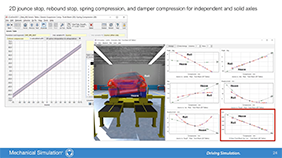 |
New Suspension Features of CarSim and TruckSimJuly 2021. This video explains and demonstrates the new suspension features found in CarSim and TruckSim 2021.1, 2021.0, and 2020.1. YouTube. 10 minutes. |
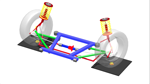 |
Virtual Steering Axis Front Suspension in CarSimJuly 2020. See the virtual steering axis front suspension type introduced in CarSim 2020.1for independent front suspensions that have a split upper or lower control arm. SuspensionSim is used to demonstrate the concept. YouTube. 3 minutes. |
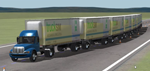 |
Big Vehicles in TruckSimJune 2020. See four types of large vehicle configurations in TruckSim. Two of the examples were built with custom combinations of TruckSim modules. YouTube. 4 minutes. |
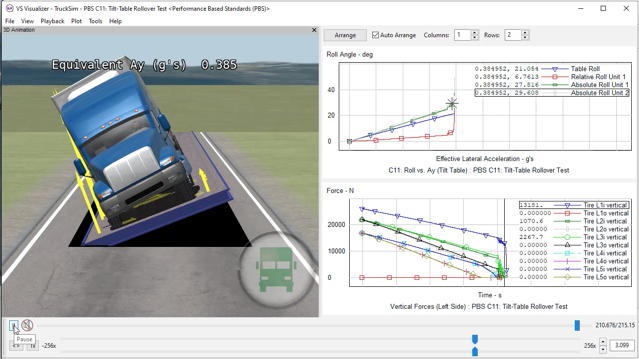 |
TruckSim and Performance Based StandardsJune 2020. See three types of PBS tests run in TruckSim: Tilt Table for rollover threshold, following a 12.5m radius turn for offtracking, and maintaining speed climbing a hill. YouTube. 3 minutes. |
Unreal Engine Plugin
These videos demonstrate using the VehicleSim Dynamics Plugin for the Unreal Engine. 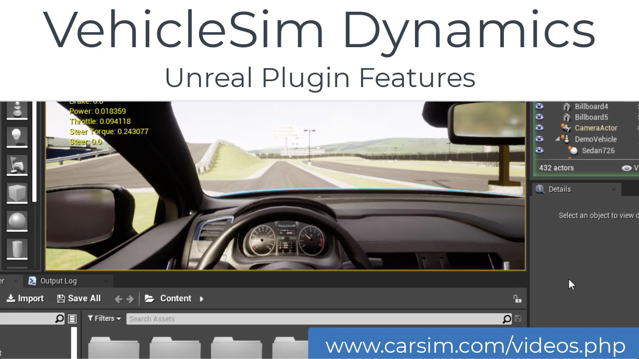 |
VehicleSim Dynamics Plugin for Unreal EngineAugust 2020. See how to run CarSim from the Unreal Engine environment with the Vehicle Dynamics plugin. The plugin is available from the Users section of carsim.com and also the Unreal marketplace. YouTube. 2 minutes. |
 |
|
 |
VehicleSim Dynamics: Using Unreal Blueprints Part 1 - Overview and Basic UsageAugust 2020. Unreal Engine Blueprints are a powerful visual scripting system that enable rapid simulation development without deep programming knowledge. This video is an overview of how tires are created and animated in the TruckSim model. YouTube. 4 minutes. |
 |
VehicleSim Dynamics: Using Unreal Blueprints Part 2 - Custom DataAugust 2020. The second part of the Unreal Blueprint series, this video shows how to add a custom motion sensor to Mechanical Simulation's CarSim model, and access the data it generates inside of a blueprint. YouTube. 4 minutes |
 |
Running Four CarSim Ego Vehicles in UnrealJanuary 2020. See how to run four CarSim vehicles together in an Unreal environment. YouTube. 3 minutes. |
Presentations
Here are some recordings of presentations describing new capabilities at the time they were introduced.
| |
University of Michigan Solar Car Team Kite Car Concept EvaluationSept 2022. The University of Michigan Solar Car Team evaluates a unique design using CarSim. This presentation will be given by Bob Nisonger. YouTube. 33 minutes. |
| |
VehicleSim New and Current Features WebinarAugust 2022. This presentation covers the updates to CarSim, TruckSim, and BikeSim since our last user conference in 2019. This presentation will be given by Mike Sayers, Ph.D. YouTube. 43 minutes. |
 |
2021.0 New FeaturesJune 2021. In this recorded presentation, Jeremy Miller, Director of Engineering, presents new features in CarSim, TruckSim and BikeSim 2021.0. YouTube. 29 minutes. |
 |
2020.0 VehicleSim New FeaturesJanuary 2020. In this recorded presentation, Jeremy Miller, Michael Sayers, and David Kline present new features in CarSim, TruckSim and BikeSim 2020.0. YouTube. 1 hour. |
|
TraceTronic ECU-Test Demonstration with CarSimFebruary 2019. This video from TraceTronic shows how to use ECU-TEST automation software with CarSim. YouTube. 6 minutes. |
|
New Features in CarSim, TruckSim, and BikeSim 2019.0January 2019. In this recorded presentation, Dr. Michael Sayers demonstrates the new features of CarSim, TruckSim and BikeSim 2019.0. YouTube. 1 hour. |